DevTech Video Production

Developers Skip the Pitch.
They Watch the Walkthrough.

Tutorials, onboarding and technical explainers for products developers and builders use. A real presenter who learns the product first, so the walkthrough is right and doesn't sound like a sales call.

#1, #2, #3Top uploads, GraphLinq
4 daysPer video, GraphLinq
#5 of 86All-time rank, GoMage
45+Front-end course videos, FES
The problem

Your best explainers are busy shipping.

The engineers know it best

And they would rather write code than record a tutorial. The docs grow, the videos don't.

Onboarding is where builders quit

If the first fifteen minutes are confusing, they never reach the part where your product shines.

One advocate, a hundred features

Developer relations can't film every release, and the backlog of how-tos keeps growing.

Technical buyers judge you by the walkthrough. If it's missing, out of date, or reads like marketing, they move on to the tool that showed them.

What it is

Technical, clear,
and still a human.

GraphLinq, a no-code platform for Web3 builders, needed tutorials that didn't sound built by a robot: token deploys, swaps, ERC20 contracts. The three tutorials became the channel's three most-watched uploads in their window.

GoMage, an Adobe Commerce development agency, had a 100-person engineering team and nobody who wanted to be the face of the channel. The anchor video now ranks #5 of 86 all time. Neither is a developer-tools company in the strict sense. Both show what a technical walkthrough with a real presenter does.

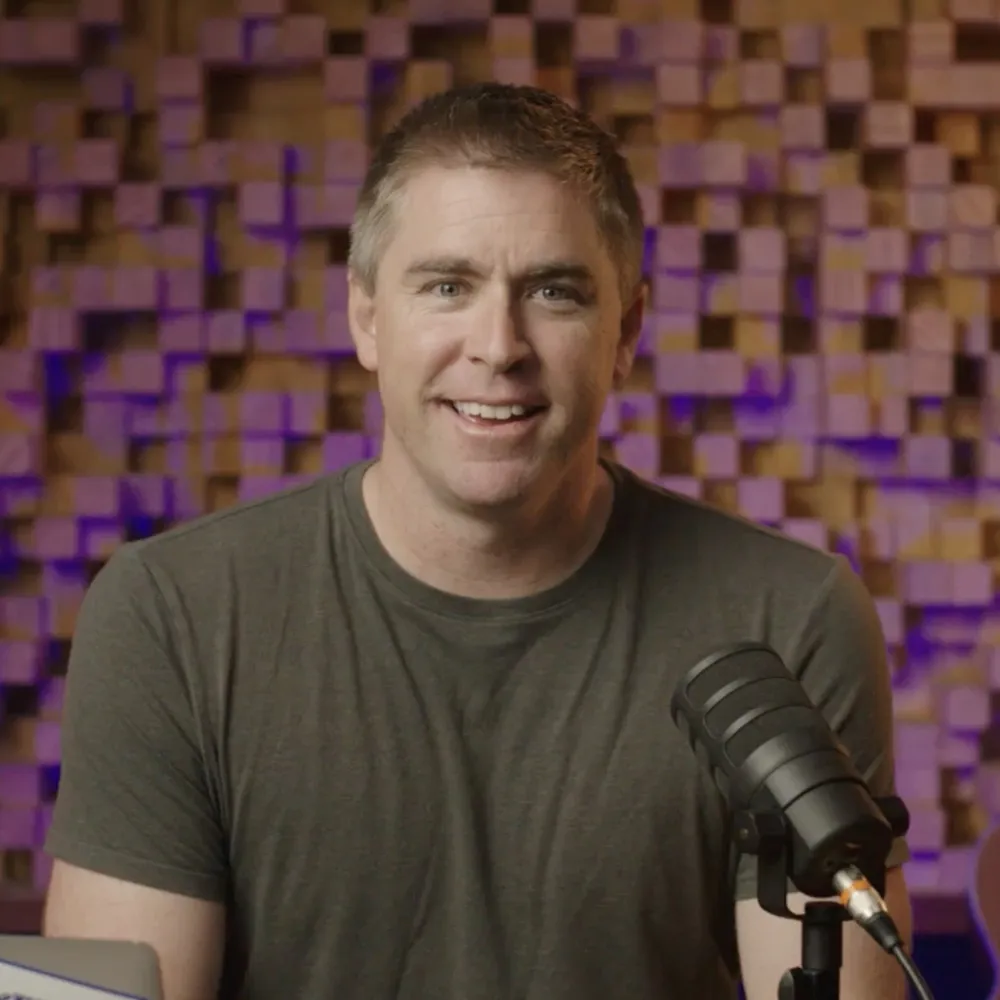
Eric Presnall, VideoRep spokesperson
What we make

What gets made.

01Onboarding

Getting-started tutorials

The first fifteen minutes, made impossible to get wrong.

  • Screen plus presenter
  • Step by step
  • Matched to the docs
02Product

Feature walkthroughs

One feature, one video, recorded so it can be updated in sections.

  • Modular by design
  • Chapter markers
  • Re-recorded per release
03Channel

Technical explainers that rank

The how-to and comparison videos builders search for.

  • Search-led topics
  • Monthly cadence
  • Built to age well
04Launch

Release videos

What shipped, why it matters, and how to use it, from one shoot.

  • Overview plus demo
  • Social cutdowns
  • Same face every release
Proof, not promises

Technical clients,
and what actually happened.

Every figure below is taken from that client's own case study page.

GraphLinq

A no-code platform for Web3 builders. Three tutorials walking founders and developers through the platform.

  • #1, #2, #3 top view ranks of all 16 uploads in the 12-month window
  • 4 days turnaround on every video

"You are professional, and your experience and skills are the biggest benefit for us."

Taras Korostylov, CMO, GraphLinq

Read the case study

GoMage

An Adobe Commerce development agency with a 100-person engineering team and nobody who wanted to be the face of the channel.

  • #5 of 86 all-time rank of the anchor video, at 4.2x the all-time median
  • 15 assets live on the channel from 8 videos filmed

Read the case study

FES Institute

Front-end developer courses: an HTML crash course and a CSS crash course, shot on one custom set.

  • 45+ course videos delivered
  • 2 crash-course modules, HTML and CSS

"I felt like I was learning from him, like a teacher would or should, actually."

Mohammed Zreika, Customer Service Manager, FES Institute

Read the case study

How it works

Right on the details,
easy on your engineers.

Your engineers check the facts. They never have to be on camera.

01

Product walkthrough

An engineer or advocate shows me the product. I learn it before I write a line.

02

Script, technically reviewed

We write it, your team checks every technical claim, then it's locked.

03

Screen plus presenter

The screen capture and the presenter shot together, so the walkthrough stays in sync.

04

Cut, captioned, delivered

Edited with chapter markers. Days, not weeks.

05

Update in sections

When the API or UI changes, we re-record the section that moved.

The promise

Every video we make,
you'll actually use.

That's the promise. Here is what stands behind it.

01You approve the script before anything is filmed.
02If a video doesn't match the brief you approved, we rework it until it does.
03Your first end-to-end video comes with my personal backstop: if it misses completely, you get your money back.
Who it's for

Developer tools, technical platforms and builder-facing products with docs that outgrew their videos, and engineers who would rather ship than film.

Not a fit for live-coding streams or conference talks. This is scripted, recorded walkthroughs and explainers.

Questions

Questions, answered

Have you worked with developer-tools companies?

The closest work here is GraphLinq's builder tutorials, GoMage's Adobe Commerce channel and FES Institute's front-end courses. None is a classic dev-tools company, and I'll say so on the call. The approach carries straight over.

Can you present code accurately?

Yes, with your team checking it. Every technical claim is reviewed before filming, and screen captures are recorded to match the script.

Our UI changes constantly. Won't tutorials date?

They're recorded in sections, so a UI change means re-recording one step, not the whole tutorial.

Who will my spokesperson be?

Usually me. If your audience calls for a different face, I cast from a small roster of presenters I trust. You meet and approve your spokesperson before you sign.

Do you use AI avatars?

No. Developers spot synthetic in seconds. Real human on screen, always.

Other categories

Not your category?

The same approach, with the proof that fits: EdTech, MarTech, WorkTech, AI tooling, SecTech, FinTech, HRTech, HealthTech and LegalTech.

Send me the docs.

Tell me where new users get stuck. I'll tell you which walkthrough to film first.