Shouldn't our own expert present it?
If they have the time and the energy, yes. Most don't, and the library waits. Then a presenter is the faster path.
Training videos your staff will sit through and apply, fronted by one presenter from the first module to the last. Your experts brief us. I go on camera. Nobody on your team has to.
A training tutorial I presented for Unilever's procurement team.
Trusted by teams at







Corporate training video production turns what your experts know into short videos staff can watch and apply. With VideoRep, a dedicated presenter carries the library on camera, our team handles the production, and the people who hold the knowledge can join on camera where they add something, or stay off it.

Most of our training work starts the same way: a rollout date is set and nobody inside wants to be on camera.
Every option includes the presenter you approve, a free script review, 4K video, and lighting and sound set up for camera.
| Deliverable | What it means for you |
|---|---|
| Discovery and briefing | We go through the tool or process with your expert and agree the tone before anyone writes. |
| Scripts written for camera | Our team writes from your material, or tightens the script you already have. You approve every word. |
| Consistent across the library | The same look in module one and module fourteen, so it reads as one course. |
| Light, branded visuals | Graphics that point at the screen or step being taught, without burying the lesson. |
| Edit and revisions | End-to-End includes the full captioned edit and two rounds of changes. |
Prefer to edit in house? Raw Footage gives your editors the presenter footage, back in 24 to 48 hours. The full side by side is on the video production cost page.
Fit call. We look at the rollout date, how many modules you need and who holds the knowledge.
Discovery. Your expert walks us through the material once. That replaces hours of them writing or rehearsing.
Scripts. Written for the ear, one idea per module, approved by you before the shoot.
Batch shoot. I film the modules in one run, so they share a look and every extra video costs less than the first.
Edit and delivery. Captioned and cut to the length each module needs, with revisions built into the schedule.
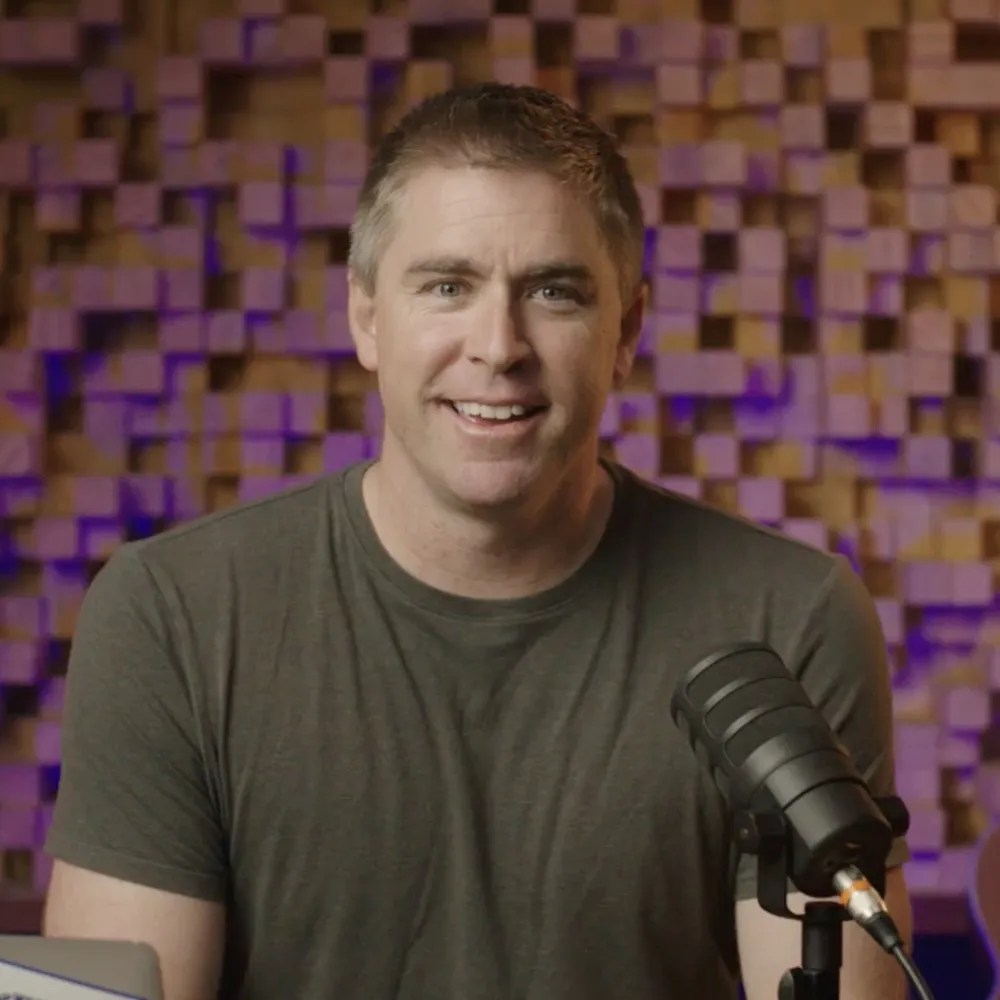
Unilever's Procurement Strategy & Insights team in Singapore was days from rolling out the Negotiation Toolkit, a digital workflow for its global buyers. They still needed the training videos, and no one internally was available or willing to be on camera.
The brief was tight: fourteen videos, each under five minutes, in clear global English, with light animation to show the tool. All of it in under ten days.
I took the production end to end. We ran a discovery pass on the toolkit, agreed the tone, and then I filmed all fourteen tutorials so staff would learn from one consistent guide. We kept the animation light on purpose and built the revisions into the schedule. The first cuts came back so close to final that the team barely needed them.
The toolkit launched on schedule. Unilever counts 140+ hours of internal production time saved, and three more divisions asked to use the same approach.
A presenter is one way to deliver training. Here is how it compares with the formats teams usually weigh it against.
| Format | Pick it when | Where it falls short |
|---|---|---|
| A dedicated presenter | You need a library fast, in one consistent voice, and your experts can't present. | A message that only works coming from your CEO. |
| Your subject expert on camera | They have the time and the energy, and staff already know them. | When their calendar wins and the library stalls. |
| Screen recording with voiceover | The lesson is a click path and the screen is the whole story. | Nobody to look at, so attention drops on longer modules. |
| Animation | You need to show a process or a concept a camera can't film. | There is no person standing behind the instruction. |
And an AI avatar? AI helps us make the video. It never stands in for the person in it. It speeds up scripting and editing, and a human checks every step. AI speeds up the work. The storytelling stays human.
Training is one of the formats in our B2B video production services; the same presenter also fronts spokesperson videos. Building a course rather than internal training? See eLearning video production , security awareness training and compliance training videos.
Anagram builds security awareness training for its customers. I anchor the library, which has passed 111 videos with a small roster of presenters, and Anagram reports a 91% engagement rate.
At Unilever, Harshita Pulla called the work "very professional, very easy to work with, and very quick in terms of the turnaround time, much quicker than expected."
Across the business: 1,000+ videos for 250+ B2B brands, Top 1% in 8 video categories and $600K+ earned.
Training is priced per module, and batching moves it most. A single Raw Footage or End-to-End module comes in under $5,000, and each extra module in the same shoot costs less than the first. Premium, with custom graphics or a custom set, is quoted by scope.
After batching, three things move the quote: how long each module runs, whether you want Raw Footage for your own editors or the finished End-to-End edit, and how much on-screen graphics work the lessons need.
A fit call gets you a quote within a day. For what the wider market charges, read what B2B video costs.
Waiting for a volunteer. Unilever had a fixed launch date and nobody inside willing to film. A rollout can't wait for someone to find the nerve.
A new face every module. Swapping presenters breaks the feeling of one course. Unilever chose one presenter for all fourteen tutorials.
Animation that buries the lesson. Graphics should point at the step being taught. On the Unilever toolkit we kept them light on purpose.
No time for revisions. If changes aren't in the schedule, they eat the launch date. Build them in from day one.
If they have the time and the energy, yes. Most don't, and the library waits. Then a presenter is the faster path.
Yes. Unilever's scripts came out of a discovery pass on their own toolkit. Slides or a recorded walkthrough both work as a starting point.
Unilever's fourteen videos shipped in under ten days. Your date depends on the module count, and you get it on the fit call.
Anagram reports a 91% engagement rate on its presenter-led library.
Short enough to watch in one sitting. Unilever's brief set every tutorial under five minutes. We agree the length per module on the fit call.
Our team writes them for camera from your material, or tightens the scripts you have. You approve every word before filming.
No. I can present every module, and your experts only need to brief us once. They can appear too: one consistent presenter carries the library, and your experts join where they add something.
Yes. Edits carry your brand colors and graphics, and the set is chosen to suit your brand.
It depends on the module count and the edit. The pricing section above gives the range, and a fit call gets you an exact quote within 24 hours.
Yes. You get the finished files to host wherever your staff learn. Your use is licensed for the project, in writing.
Bring the rollout date and the module list. I'll tell you how many shoot days it takes and what it costs. Every video we make, you'll actually use.